
A match can begin with a steady 35 ms ping and feel perfectly responsive. Ten minutes later, the number starts jumping between 40 and 120 ms. Voice chat breaks up, other players appear to teleport, and actions reach the server later than expected.
When this happens, players often hear two conflicting suggestions. One person recommends turning on a VPN to reduce latency. Another says a VPN will only make the connection slower.
Either result is possible.
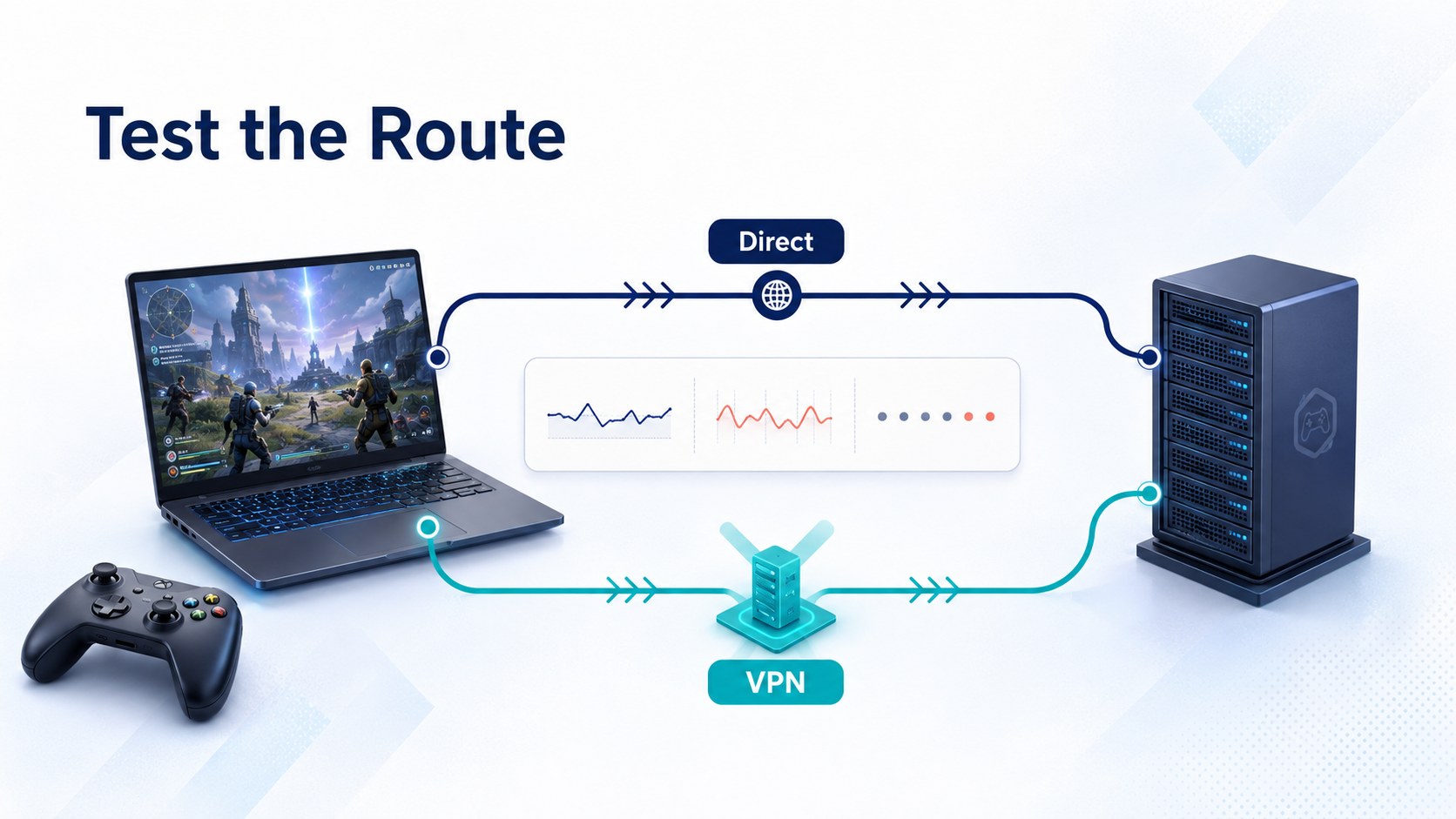
A VPN changes the route that gaming traffic takes to the server. If the new route avoids congestion or inefficient network links, the connection may become more stable. If the VPN server is poorly located or overloaded, it can add distance and increase latency.
The most useful approach is to compare the actual connection before and after enabling the VPN. A short, controlled test provides more relevant information than a general promise about lower ping.
A stable ping can matter more than the lowest number
Ping measures how long data takes to travel from a device to the game server and back. It is usually shown in milliseconds. Lower numbers generally mean that player actions can reach the server sooner, but average ping does not describe the entire experience.
A connection that stays near 50 ms may feel more predictable than one that averages 35 ms but repeatedly jumps above 100 ms.
These changes in delay are known as jitter. When jitter is high, packets arrive at inconsistent intervals. Players may notice delayed actions, position corrections, broken voice chat, or uneven movement.
Packet loss creates a different problem. It occurs when some data does not reach its destination. Even a small amount of persistent loss can cause stuttering, rubber-banding, missed inputs, or disconnections.
When reviewing a gaming connection, look at several signs together:
- Average ping
- Changes between the lowest and highest ping
- Packet loss
- Disconnections or position corrections
- Delays between an input and the server response
The combination gives a better picture than one attractive number on a speed test.
Follow the route to the game server
After a player presses a button, the related data leaves the computer or console, passes through the home router and internet service provider, crosses several network points, and eventually reaches the game server. The response then travels back to the device.
Every part of that trip takes time. Physical distance usually increases latency, but distance is only one factor. Congestion, equipment problems, and routing agreements between network providers can also affect the result.
The region selected inside a game may not reveal the server’s exact location. A region labelled “Europe” may use several data centres. Matchmaking can also place a session on different infrastructure based on server capacity, game mode, or the locations of other players.
This explains why one game may perform well while another struggles on the same internet connection. It also explains why a familiar server can become unstable during certain hours.
When a gaming VPN is worth testing
A different network route may help when one game or region remains unstable while other online services work normally.
Testing a VPN for gaming sends the traffic to a VPN server before forwarding it to the game server. If that route avoids a congested or inefficient part of the direct connection, jitter or packet loss may improve.
A test may be useful when:
- One game or server region has persistent connection problems
- The problem regularly appears at a particular time
- The player is using a hotel, dormitory, or another shared network
- A peer-to-peer game exposes participants’ public IP addresses
- Several possible connection regions need to be compared
A VPN cannot repair weak Wi-Fi, stop another device from filling the connection with downloads, or reduce load on the game company’s own servers. Check these local issues before changing the wider route.
X‑VPN is one consumer service that offers gaming-oriented connections and a choice of server regions. Results still depend on the player’s location, ISP route, selected VPN server, game server, and current network load.
Choose the VPN server with the game destination in mind
The VPN server closest to the player is a sensible starting point, but it will not always produce the best route. The distance between the VPN server and the game server matters as well.
A player in western Canada joining a game hosted on the US East Coast could first test a nearby Canadian VPN server. A server closer to the game’s destination may produce a different result, especially if the original cross-country route is inefficient.
Reviewing the available VPN server locations helps identify two or three sensible candidates instead of testing countries at random.
Change one variable at a time. Keep the same game region and compare a small number of VPN locations. Once a more stable route has been found, save that location for later use.
Changing the VPN location, game region, Wi-Fi network, and graphics settings at the same time makes the result difficult to interpret. The ping may improve, but there will be no clear way to know which change helped.
When a VPN may increase gaming latency
A VPN adds an extra point between the player and the game server. Traffic must reach the VPN server before continuing to its final destination.
If that server is far away or located in the wrong direction, the data may travel much farther than it would through a direct connection. A busy VPN server can introduce additional delay, unstable ping, or packet loss.
Consider a player in Singapore connecting to a game server in Japan. A VPN location in Singapore or Japan may be reasonable to test. Sending the connection through the United States before returning to Japan would probably add substantial latency.
Encryption also requires some processing, although distance, routing, and server load are usually more noticeable on modern hardware.
A VPN therefore cannot guarantee a lower gaming ping. It may improve a poor ISP route, have little effect, or make an already efficient direct connection slower. The outcome may also change between games and at different times of day.
Run a fair before-and-after test
One speed test or a single match is not enough to judge the connection. The game server may be temporarily busy, and background activity on the home network may distort the result.
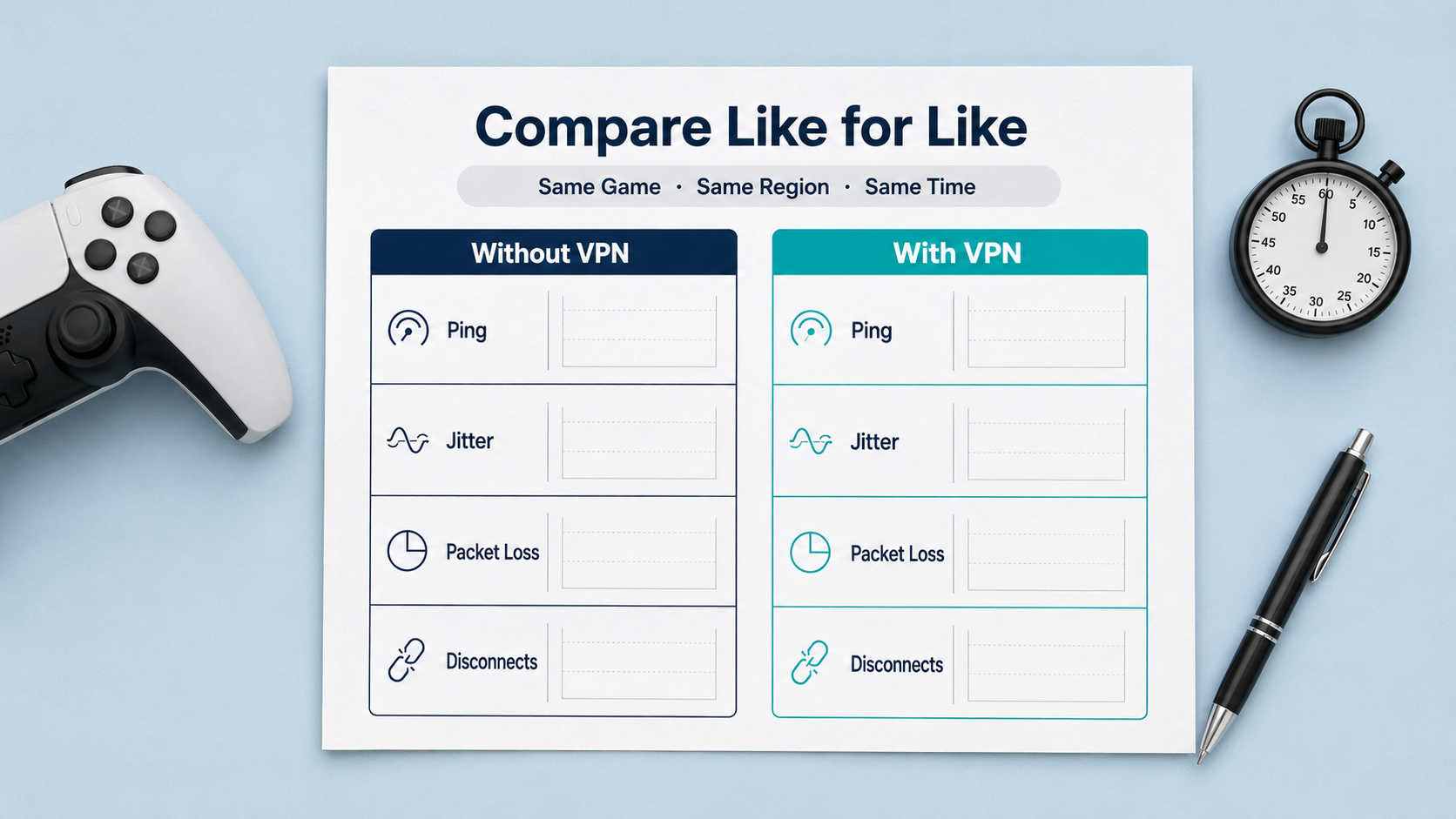
Begin without the VPN. Join the region normally used for play and record the average ping, highest ping, packet loss, and any visible stuttering or disconnections across several rounds.
For the VPN test, keep the conditions as similar as possible:
- Use the same device and home network
- Join the same game region
- Test at roughly the same time
- Pause system updates, cloud backups, and large downloads
- Play more than one round
Connect to a reasonably located VPN server and repeat the test. Check the in-game network statistics rather than relying only on the ping displayed in the lobby, since the actual match may use different infrastructure.
Compare the results directly. Did the average ping change? Were the spikes less frequent? Did packet loss improve? Did login, matchmaking, and voice chat continue to work normally?
A slightly higher average ping may still be acceptable if the connection becomes much more consistent. If the average, jitter, and packet loss all become worse, the direct connection is probably the better choice.
Check account and competition rules before changing regions
A game account’s store region, matchmaking region, and current server location may be separate settings.
Connecting through another country does not automatically change all three. It also does not mean that the platform permits players to bypass regional purchasing rules, release dates, or local restrictions.
Frequent location changes can trigger an unusual-login check. Before testing, confirm that multi-factor authentication is active and that the account’s recovery email address and phone number are current.
Competitive games, tournament platforms, and events involving prizes may also have specific policies concerning VPNs and proxies. Read the current rules before using one in a ranked match or organized competition.
Keep the route that performs consistently
After a few controlled tests, the decision should become straightforward.
Save the VPN location if it repeatedly reduces jitter, packet loss, or disconnections for the same game region. Continue using the direct connection if it provides lower and more stable latency.
Network conditions can change. An ISP may adjust its routes, a VPN provider may add infrastructure, or a game publisher may move its servers. If a connection that once worked well begins to struggle, run the comparison again.
Players do not need one permanent network configuration for every game. Measure the direct connection, test a few logical VPN locations, and keep the route that delivers the most consistent result.